
image optimization for seo
Image Optimization for SEO and Faster Pages
February 14, 2026
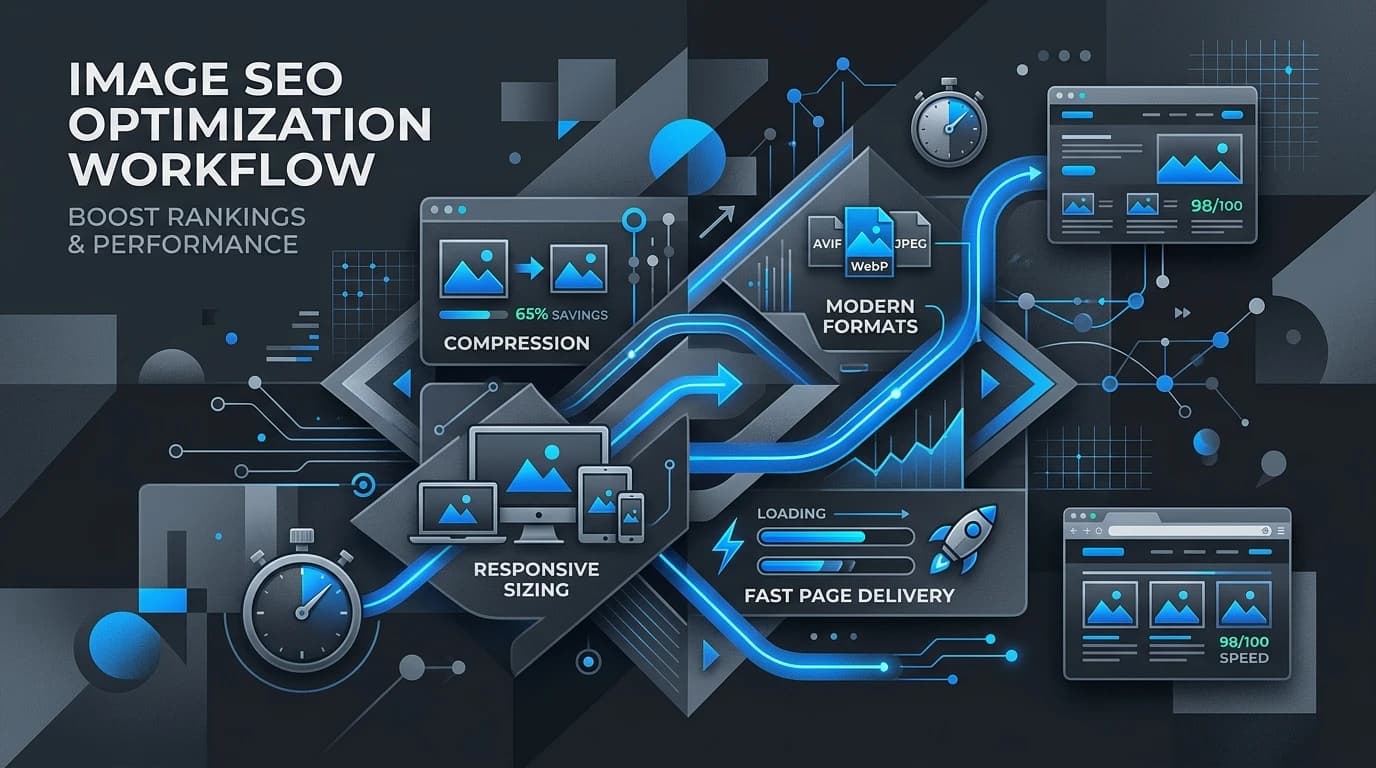
Image Optimization for SEO: Faster Pages, Better Search Visibility
You spend hours crafting the perfect written content, ensuring every heading is optimized and every paragraph flows logically. Then, you upload a massive, high-resolution photograph straight from your camera roll. Suddenly, your page takes five seconds to load. Visitors abandon the site before reading a single word, and search engines push your link further down the results.
Images make web pages engaging, breaking up walls of text and communicating complex ideas quickly. However, unoptimized media files are a primary culprit behind slow website speeds. Search engines prioritize websites that load quickly and provide a smooth user experience. If your visuals are dragging down your page speed, your search rankings will inevitably suffer.
Learning how to properly optimize images is a fundamental part of technical SEO. By adjusting file sizes, formats, and backend data, you can drastically improve your website's performance. This guide covers the essential techniques you need to balance visual quality with lightning-fast load times.
Why Image Optimization Matters for Search Rankings
Search engines look at several technical factors when deciding how to rank your web pages. Two of the most heavily weighted elements are page speed and accessibility. Unoptimized images negatively impact both.
Page Speed and Core Web Vitals
Google uses a set of metrics called Core Web Vitals to measure the overall user experience of a page. One of these key metrics is Largest Contentful Paint (LCP), which measures how long it takes for the largest piece of content on the screen to render. In many cases, this element is a hero image or a large banner.
If your visual files are enormous, your LCP score will drop. A poor LCP score signals to search engines that your site provides a frustrating user experience, often resulting in lower search engine placement. Compressing your visual assets ensures they render quickly, keeping your site firmly in Google's good graces. Image work should be part of a broader performance optimization plan.
Enhanced User Experience and Accessibility
Image optimization goes beyond mere file size. It also involves providing context for search engine crawlers and visually impaired users. Search engines cannot "see" a photograph. They rely on the data attached to the file to understand what the graphic represents. Proper optimization ensures search engines can index your media accurately, allowing your site to appear in rich search results.
Core Strategies for Image Optimization
Optimizing your site's visuals does not require a degree in computer science. Implementing a few straightforward strategies before you hit the publish button can make a massive difference.
Choose the Right File Format
Selecting the appropriate file type is the first step toward a faster page. The three most common formats have distinct advantages:
- JPEG: Best for photographs and images with lots of colors. JPEGs keep file sizes relatively small while maintaining acceptable quality.
- PNG: Ideal for graphics, logos, and images requiring a transparent background. PNGs hold more detail but typically result in larger file sizes than JPEGs.
- WebP: A next-generation format developed by Google. WebP provides superior compression for both photographs and graphics, often creating files that are 25% to 35% smaller than traditional JPEGs and PNGs.
Whenever possible, transition your site to use WebP formats. Most modern browsers support WebP, making it a highly effective choice for improving speed.
Compress Images Without Losing Quality
Even if you choose the right format, your file might still carry unnecessary data. Compression tools strip out hidden information and reduce the overall footprint of the asset.
There are two main types of compression:
- Lossy compression: Eliminates some data permanently. This drastically reduces file size, though heavy lossy compression can make visuals look pixelated.
- Lossless compression: Reduces file size without degrading the actual quality of the graphic.
Tools like TinyPNG, ImageOptim, or dedicated WordPress plugins can automate this process. Aim to keep most web graphics under 100 KB, though large hero banners might need to be slightly larger.
Craft Descriptive File Names and Alt Text
Before uploading a file, change its name. A file named "IMG_8943.jpg" tells search engines nothing. Rename it to something descriptive using hyphens to separate words, such as "blue-running-shoes.jpg".
Once uploaded, always fill out the Alternative Text (Alt Text) field. Alt text serves three critical purposes:
- It describes the visual for screen-reading software used by visually impaired visitors.
- It displays on the screen if the graphic fails to load.
- It helps search engines understand the context of the asset.
Keep your alt text concise, descriptive, and relevant to the surrounding content. Include your primary keyword naturally, but avoid stuffing the field with unnecessary terms.
The Balancing Act: Quality vs. Performance
Some web designers and photographers argue that aggressive optimization destroys the visual integrity of their work. They worry that compression will make their portfolios look unprofessional.
This is a valid concern, particularly for businesses that rely heavily on visual appeal, such as architecture firms or high-end fashion brands. However, serving a beautiful, uncompressed 5 MB photograph is useless if the visitor closes the browser tab before it finishes loading.
The solution lies in finding the sweet spot. Utilize next-generation formats like WebP to maintain crisp details at lower file sizes. Implement lazy loading, a technique that delays the rendering of off-screen graphics until the user scrolls down to them. This ensures the initial page loads instantly, while high-quality media loads smoothly in the background.
Next Steps for a Faster Website
Speed is an undeniable ranking factor, and bulky media files are the most common roadblock to a fast website. By selecting the right file formats, compressing your assets, and providing clear alt text, you can drastically improve your technical SEO. A strong frontend development workflow helps make these optimizations repeatable.
Start by running your most important landing pages through Google PageSpeed Insights. Identify which visuals are causing the biggest delays. Replace those files with compressed, properly named alternatives. A faster, more accessible website leads to happier visitors and better search visibility.